

Have you downloaded these 5 essential apps for travelling? WhatsApp, Google Translate, Google Maps, eSIM and eVPN.

Have you downloaded these 5 essential apps for travelling?
These 5 essential apps for travelling and one extra bonus app can make all the difference when you are away from home and need to navigate and communicate securely on the go. If you haven’t downloaded them yet keep reading for useful and practical tips on how to use these apps.
- Google Translate
- Google Maps
- eSIM
- eVPN
WhatsApp is a free app used worldwide by travellers on the go to keep in touch with friends and family at home, and to communicate with, AirBnB/VRBO hosts, tour companies, transfer services, and hotels. You can easily add new contacts you meet along the way just by entering their phone number into your contact list. There is also an option to create a group chat which is a great way to make plans or communicate with others you are travelling with when you want to do different things.
You can use WhatsApp on a wide variety of devices and platforms and it is easy and convenient as it uses your own phone number. There are many ways to use WhatsApp including, making voice calls or video calls and sending messages. The messaging function allows you to attach photos, stickers, emojis, and videos and all of your messages are encrypted.
You will need data or Wi-Fi, but your calls will not incur long distance charges and you are not charged for each message sent like a text message.
Google Translate
Google Translate is a lifesaver when you arrive in a country where you don’t speak the language. This free translation tool app from Google has many great functions and benefits that are essential while travelling:
- Its free, convenient, fast, and easy to use on your phone or another device.
- There are over 100 languages on Google Translate so it is likely that you will find the one you are looking for.
- There is an option to download Google Translate to your phone so you don’t need to have internet access to use it.
- You can translate to and from other languages and easily switch back and forth depending on your needs.
- You can save translated phrases or words in the phrasebook for later and pull it out when you need it.
4 ways to use Google Translate
- You can type a word into your phone if you know the spelling of a word in either your own language or the foreign language. For example, if you know a word in English you can transcribe the word to the local language and show your phone to someone so they know what you are asking about.
- Translate with your phone camera by taking a picture of documents or signage in one language, choose the language you want to translate to, and tap the button for an instant translation. In South America I used this extensively to translate menus from Spanish to English or to read signs or get directions.
- Translate by speaking into your phone and Google Translate will transcribe what you have said into the language you have selected. There is also an option to translate spoken conversations in real time which allows you to converse with someone without having to type back and forth.
- Translate a webpage instantly into the language of your choice. This can especially helpful when reviewing important information from local airlines if the language you understand is not available.
Google Maps
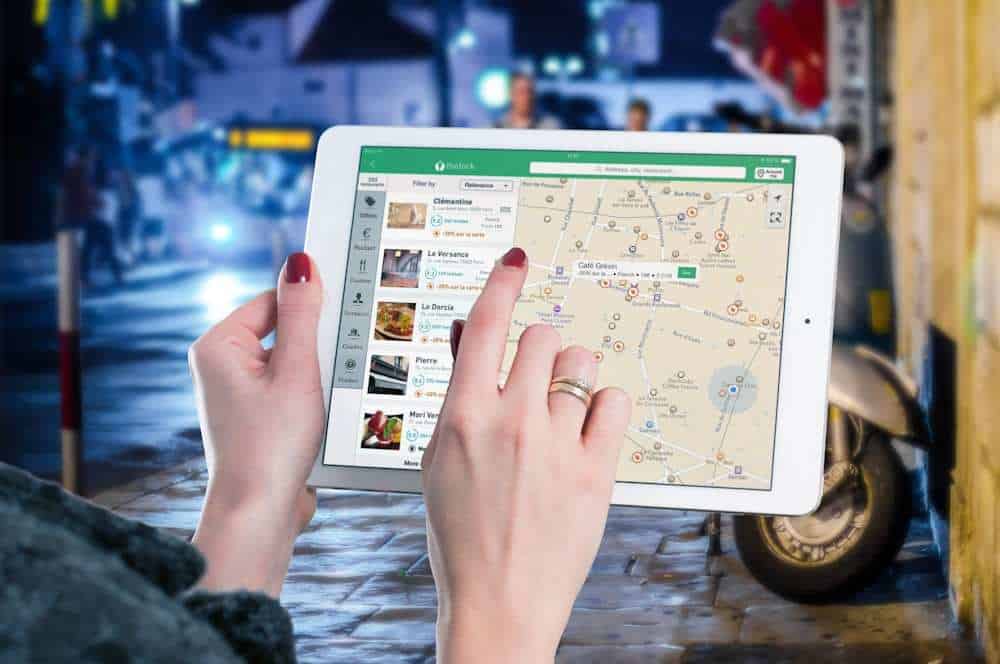
How did we ever travel without Google Maps? Here are some ways travellers use the free and easy to use Google Maps app while travelling:
- Are you trying to find a restaurant, ATM, pharmacy, or grocery store in the area you are staying? At the press of a button you can see a map with the local businesses identified.
- If you are taking public transit or need to park a vehicle you can quickly search for the nearest stops or parking options.
- Use the route finder by typing in the location you are going to and from and you will be provided with different options to get there and the approximate time to arrive using each transportation option.
- You can also plan future trips on Google Maps or create a list of places to visit and save the map on your phone even if you don’t have internet service.
- By using the street view you can see photos of exactly what the place you are looking for looks like on the exterior before you arrive. This is helpful when you are trying to recognize an AirBnB or VRBO you are staying at and want to see what is nearby.
- You can send your location in real time so that others can meet up with you or know where to find you.
- Learn about new places and events in the area that you are interested in by selecting the Things to Do button and reading the descriptions and reviews.
eSIM
An eSIM is an app on your compatible device that allows you to access data without having to insert a physical SIM card in the SIM card slot. I used an eSIM for the first time to travel in South America and I was really happy with my experience. I described the costs, pros and cons of the eSIM I purchased in Stop paying roaming charges: Best eSIM for international travel and I will definitely purchase one again when I travel.
The cost of an eSIM is low and it can be the equivalent of one day of roaming charges or less to buy an eSIM for two weeks in some locations. They are easy to activate and are instantly available to connect to the internet when you land at your destination. You don’t have to disable any of your accounts to use them and you don’t have to take out your tiny little SIM card from the SIM card slot and try to keep it somewhere safe. You can easily top up your data if you run out and need more and you purchase upfront so there are no hidden fees or extra charges later.
Most newer phones or devices are compatible with the eSIM you purchase but you need to check this before you buy and ensure your device is unlocked. The eSIM I used, Airalo, did not have text or call functionality but I used WhatsApp for messaging and phone calls so this was not a problem for me. There are a number of providers to choose from but if you decide to purchase Airalo and want a discount use my referral code JENNIF8734 which will help us both out.
eVPN
Virtual Privacy Networks (VPN’s) are important for travellers who want to increase security while accessing applications through public WiFi or who need to use applications that you use at home. You could also potentially save money by using a VPN to make purchases online.
There can be geographical or government restrictions that do not allow you to use common applications like Google, Facebook, or Netflix in another country. The VPN will allow you to change your IP address so it appears that you are logging in from a server in your home country (or another country that you select) instead of the country you are actually physically located in.
VPN’s will also encrypt your connection and keep your browsing history private which could be helpful when accessing banking sites or financial accounts online for example. Public or semi-public WiFi networks in airports, hotels, and cafes are not secure and those who know how to do so can steal your username, passwords, and credit card numbers if they are unencrypted. To keep your emails private be sure to use your own private network accessible through a VPN.
An additional perk is that you can make it appear that you are in a specific country to make purchases. Some airlines charge a lower fee domestically then if you are purchasing from outside the country. If you use a VPN and select a domestic server in that country the airline website will think you are booking a flight from that country.
VPNs are easy to use and purchase. First download an app on your phone, tablet, or laptop. Then, open the app and follow the instructions. Restart your device and connect to the internet, click on your VPN app, and choose the server you want to access.
I don’t have a specific eVPN provider to recommend but there are many available such as NordVPN or Express VPN. ExpressVPN had a special promotion and I recently purchased the 12-month plan at a cost of less than $10CDN/7USD per month. It has been working well for me so far during my travels as well as on all other devices and it also came with extra features like a password manager. Check out this article for a comparison of 8 different VPN providers. Be sure to check out a few and look for a VPN that will work with your platform, meet your need for network speed, has a high number of servers to choose from, fits your budget without hidden fees, and is available in the countries you will travel to.
Bonus App: Downloadable travel guides
I purchased an Insight Guides travel book before travelling on a tour of Morocco. One surprise extra feature that was included was a free EBook and App with the hard copy book I purchased. I downloaded the Walking Eye App and was able to see my EBook with information in four different categories: Highlights, Accommodation, Eating Out and What to do. The EBook included the same content as the printed book.
I travelled with a carryon bag on this two-week trip and did not have room to carry heavy books so this was a great way to have the information at my fingertips on my device while I was in transit. It was possible to view the locations of each point of interest and save it to my favourites or to download specific content.
Travel guide EBooks are available for purchase on their own separately or free with the purchase of a printed book like the one I had. You may also be able to check out travel guide EBooks from your local library at no cost and download it onto your device. I’d highly recommend giving this a try on your next trip.
Read More Travel Tips to Save Money

